New this week: Warranty & Rebates Trackers, Recount Inventory Count, New Settings, and more
Warranty & Rebates Trackers
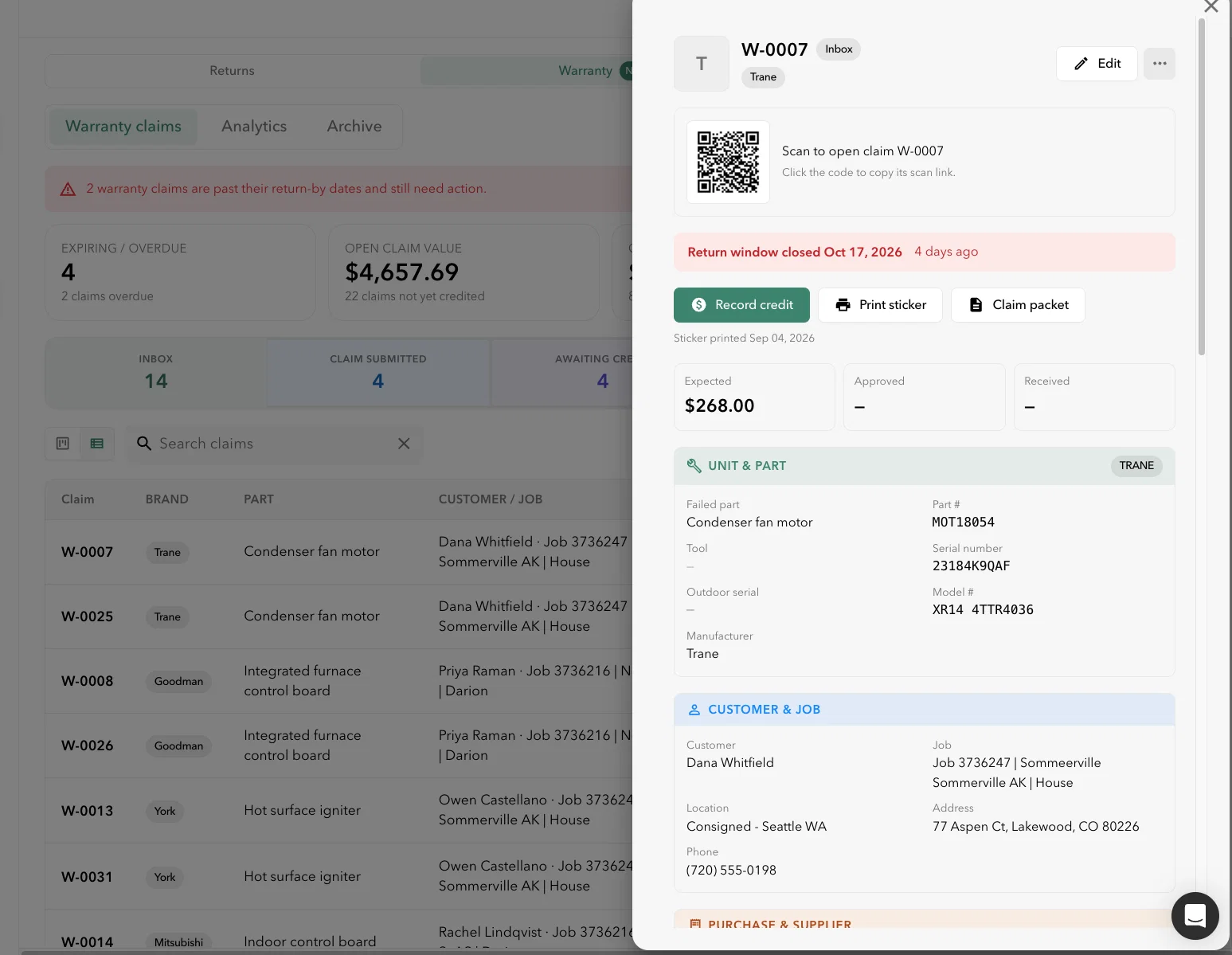
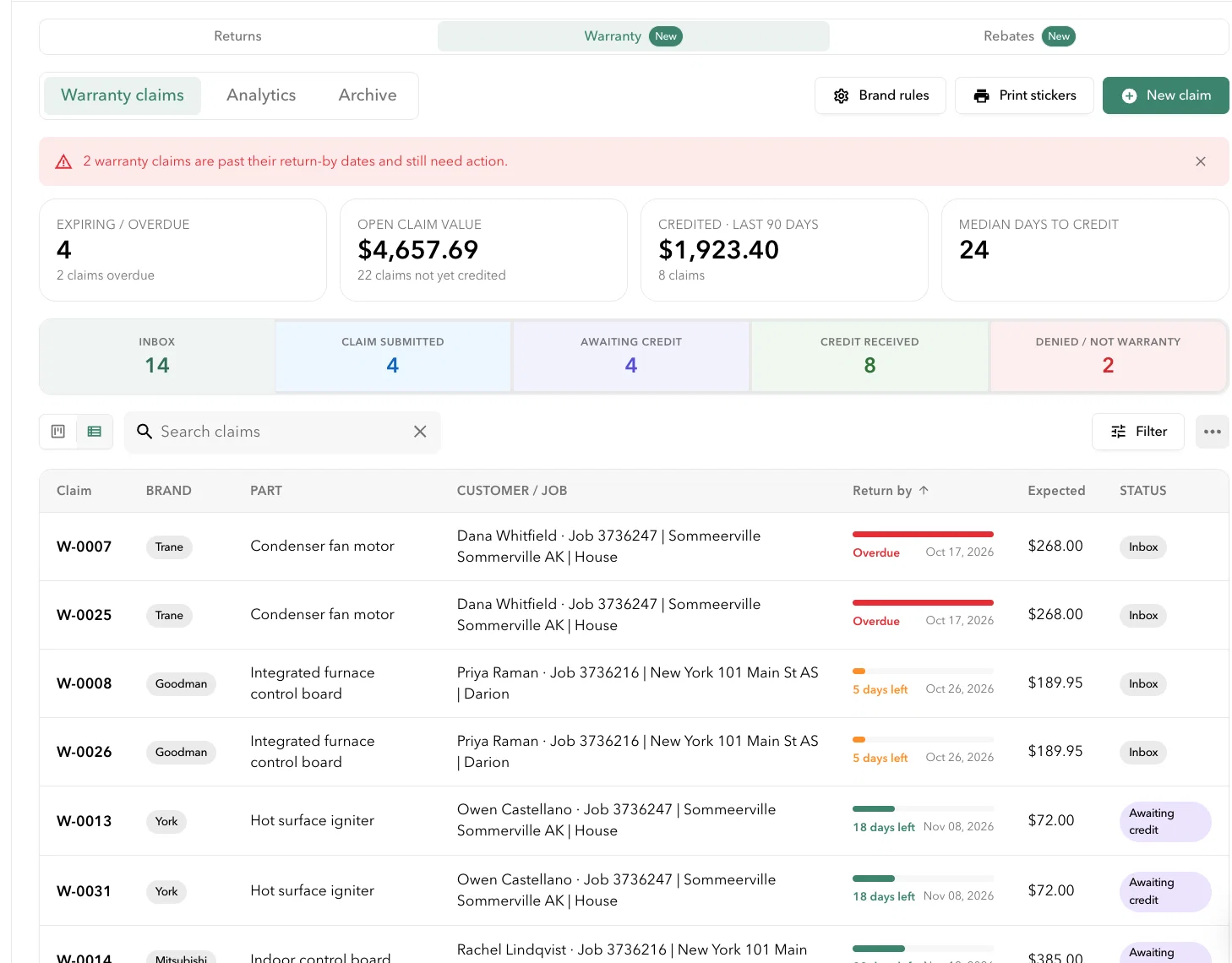
Track defective parts from the job to the credit. Start a warranty claim from a job, material, tool unit or barcode scan, and move it through Submitted, Approved, Credited or Denied. Print a sticker for the part on the shelf, and a claim packet for the supplier. Set up rebate programs with tiers for each supplier, and see how close you are to the next tier.
How to use it: Go to Returns → Warranty or Rebates tab on top
Available for Plus and above tiers
Recount in Inventory Count
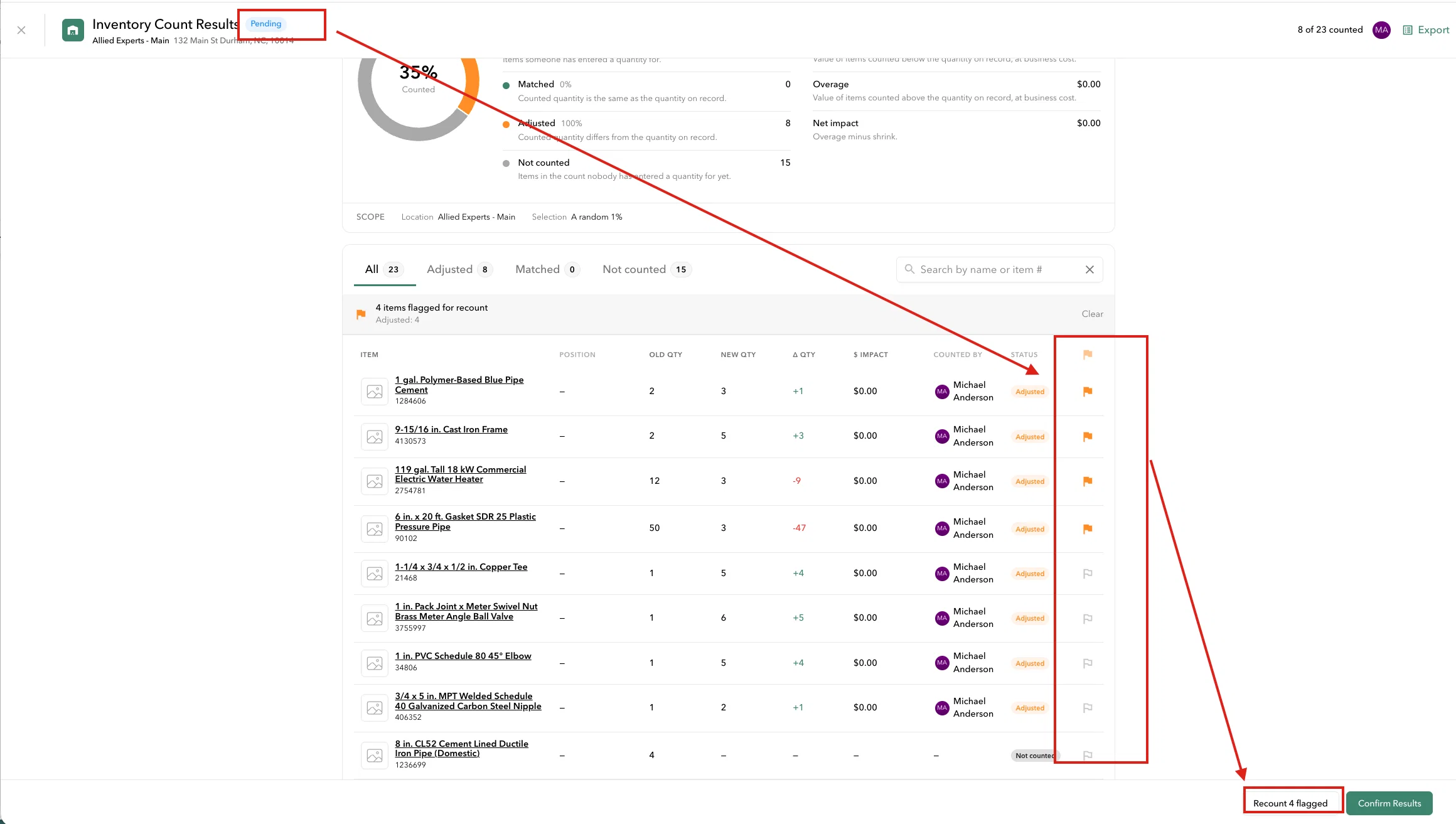
A recount creates a new inventory count tagged Recount, so you can check the results and build better counting habits on your warehouse team. Every material can be recounted, including adjusted, matched and not counted ones.
How to use it: Open an inventory count that's Waiting for Confirmation and click Recount.
Uploaded POs become Draft PO
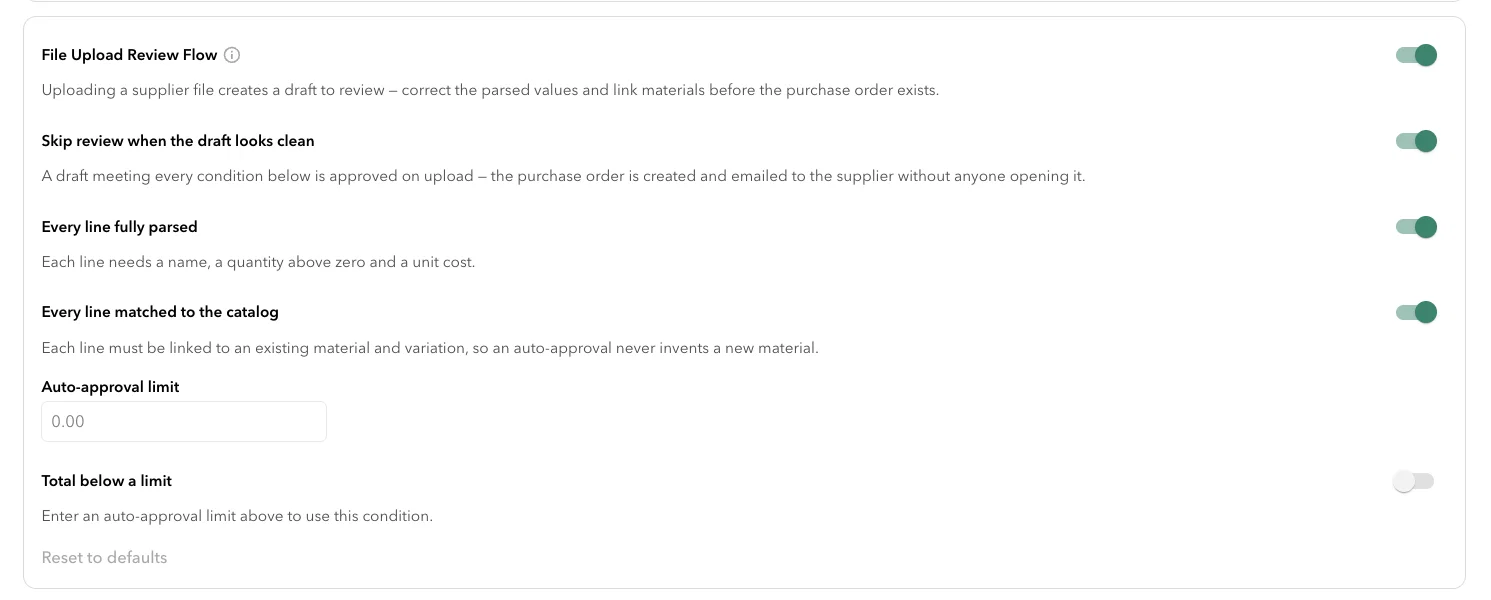
When you upload a file to create a PO, Ply now shows you what it read before it creates anything. You can fix the header and line items, and link each line to an existing material or create a new one. This prevents duplicate materials and wrong values. The supplier gets nothing until you approve.
How to use it:
- Go to Settings > Procurement > Purchasing Settings > Enable File Upload Review Flow
- Enable any subsequent settings needed
Setting: Bulk Smart Min/Max for a location
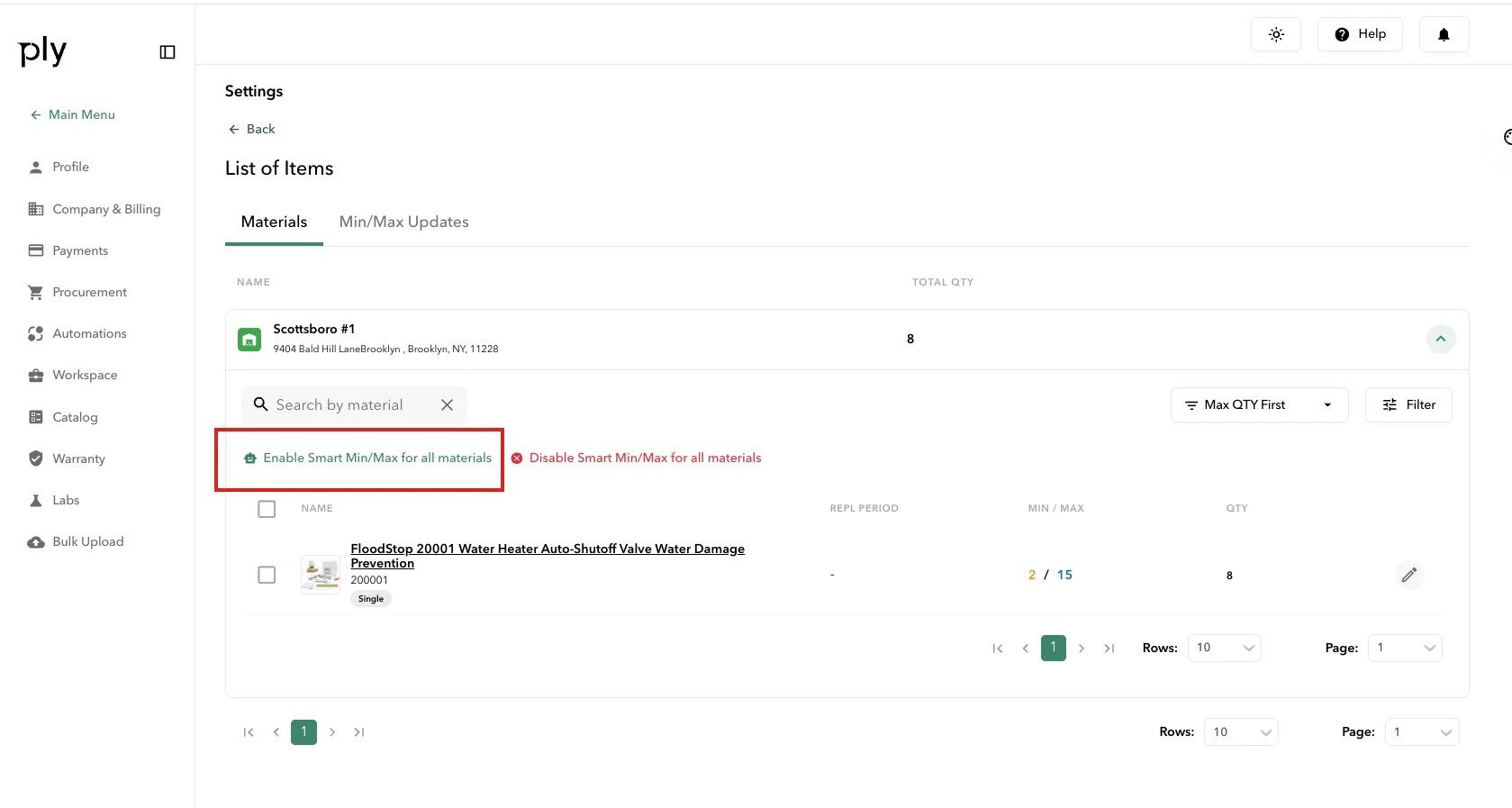
Turn on Smart Min/Max for every material in a location at once.
How to use it:
- Go to Settings > Procurement > Smart Min/Max
- Locations, enable Smart Min/Max for a location > Set up Materials
- Click on location drop down > “Enable Smart Min/Max for all materials” in this location
For Service Titan

- New setting for auto-sending returns, syncing categories with ServiceTitan, and weighted average cost.
- Supplier costs on ServiceTitan equipment now come into Ply.
Other Improvements
- FieldEdge: stock comes from the right warehouse. Materials on a FieldEdge invoice now come out of the warehouse selected in FieldEdge.
- PO templates: zero quantities and your own item order.
- Start a pick list from a stock template. Build a pick list from a stock template instead of adding items one by one.Status filter on the PO board now sticks.
- When a supplier's bid file has lines that don't match a material in Ply, they now show in the RFQ bid so you can link or create them.
- 3-way match finds POs by ServiceTitan number. If a supplier puts the ServiceTitan PO number on an invoice, Ply can still match it to the right PO.
- The ⋮ menu on the PO cardis now is an Actions panel that display more options.
- Equipment names are now clickable links in modals and stock views, like materials and tools already were.
- Catalog category UI update where long category lists collapse so rows stay short.